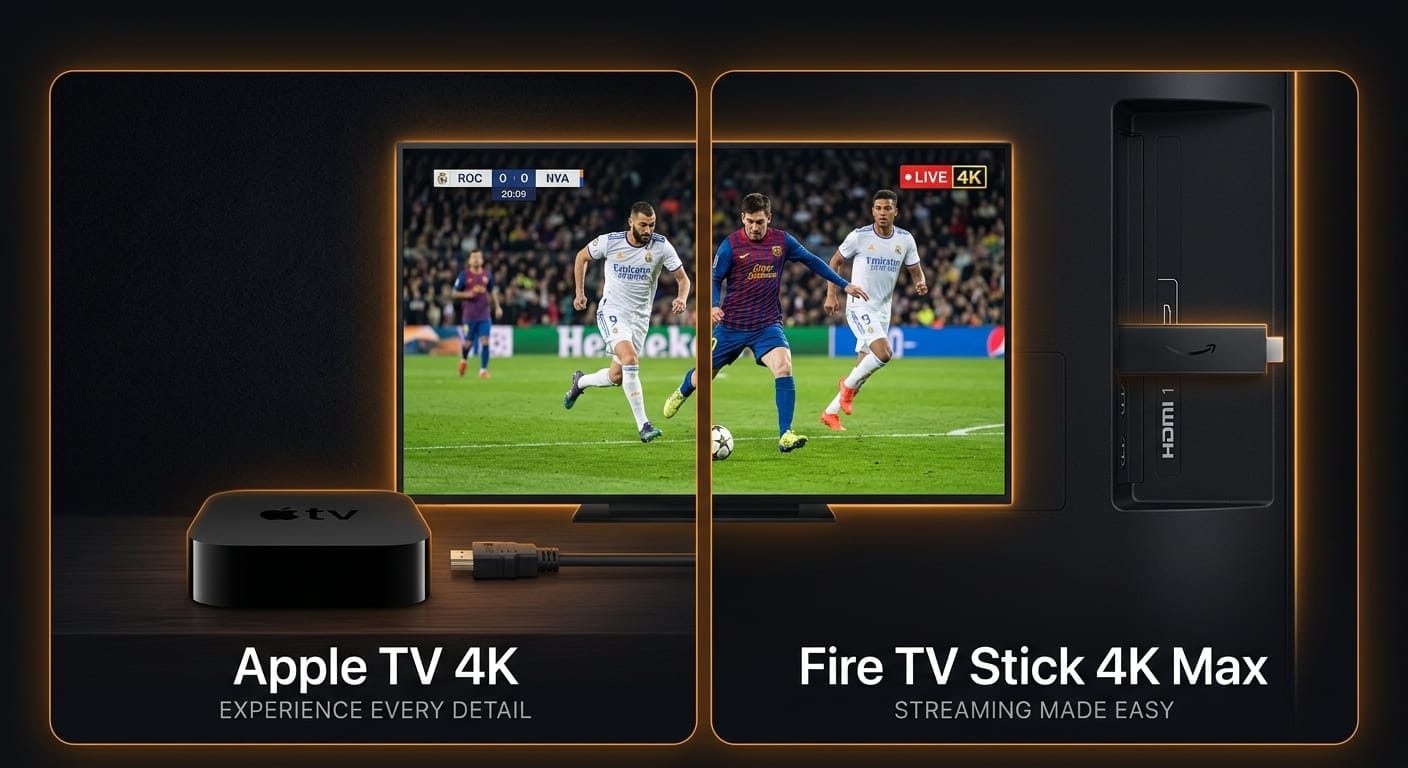
On a Firestick, enable Apps from Unknown Sources, install Downloader, then install IPTV Smarters Pro or TiviMate and sign in with your EagleCast details.
On an Apple TV, sideloading is not possible install a player from the App Store (IPTV Smarters Pro or GSE Smart IPTV) and sign in the same way.
Both take under ten minutes, and the sign in step is identical on either device.
What you need before you start
- An Apple TV (4th generation or newer), or any Amazon Fire TV Stick
- A stable connection 25 Mbps or more for 4K, 10 Mbps for FHD
- Your EagleCast login: username, password and server URL, or an M3U playlist link
- About ten minutes
No details yet? Start a free trial and we send them over WhatsApp in minutes see the plans.
Why the two devices work differently
This is the part that trips people up, and it is worth thirty seconds.
Runs Android
You can install apps from outside Amazon's store which is why the best players, like TiviMate, are available on it. One extra step, more choice.
Runs tvOS
Apple does not allow sideloading at all. No Downloader, no APK files, no workaround. Whatever is in the App Store is what you get one step fewer.
So the Firestick route has one extra step, and the Apple TV route has one fewer. Everything after installation is identical.
Part 1 Installing on a Fire TV Stick
Step 1: Allow apps from unknown sources
From the Fire TV home screen, open Settings the gear icon, far right of the top menu.
Select My Fire TV; older models call this Device.
Select Developer options.
Turn on Apps from Unknown Sources, then confirm with Turn On.
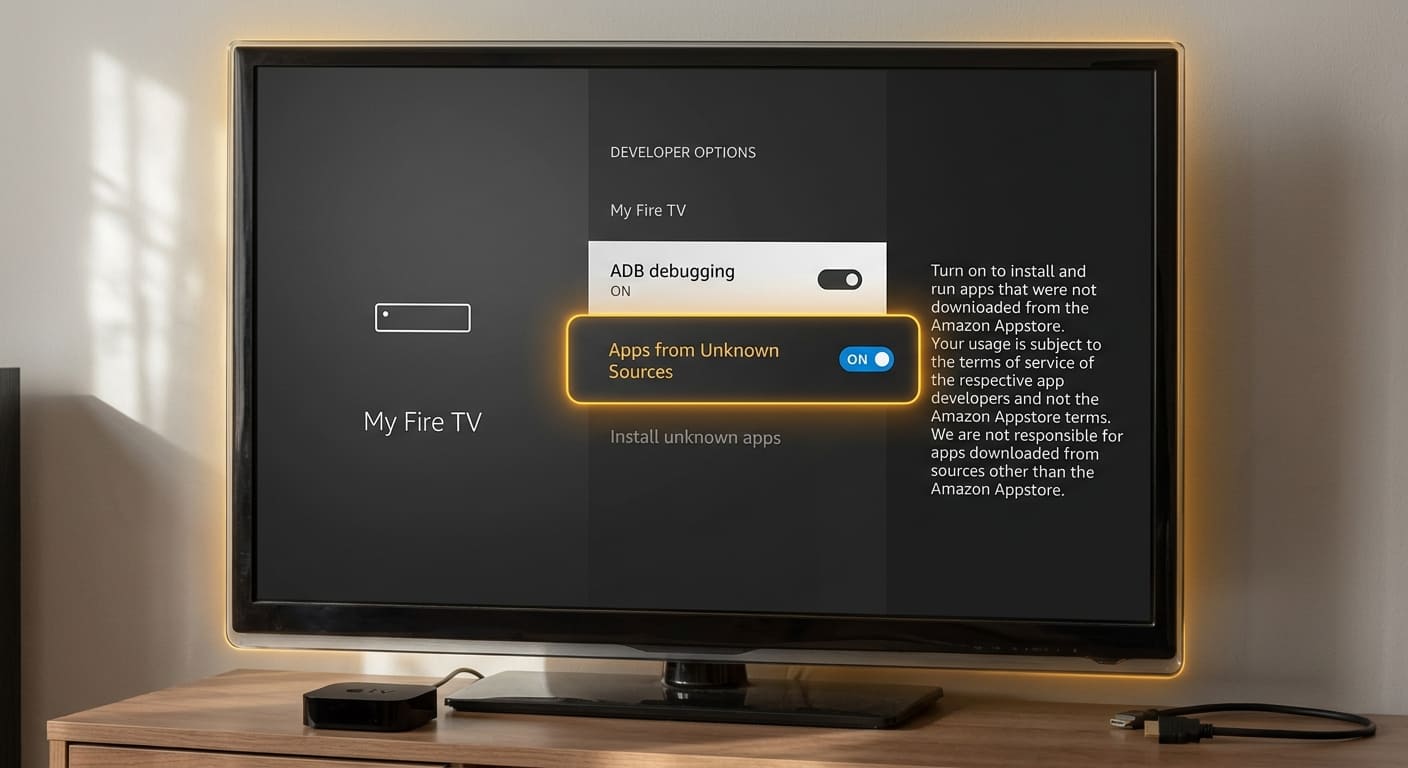
No Developer options showing? Amazon hides it on newer firmware. Go to Settings → My Fire TV → About, highlight Fire TV Stick, and press the select button seven times. A message confirms you are now a developer. Go back one screen and the menu is there.
Step 2: Install Downloader
Select the search icon magnifying glass, top left.
Type Downloader.
Choose the orange app with the white arrow, published by AFTVnews.
Select Get, then Open.
Allow it to access files when prompted.
Step 3: Install your player
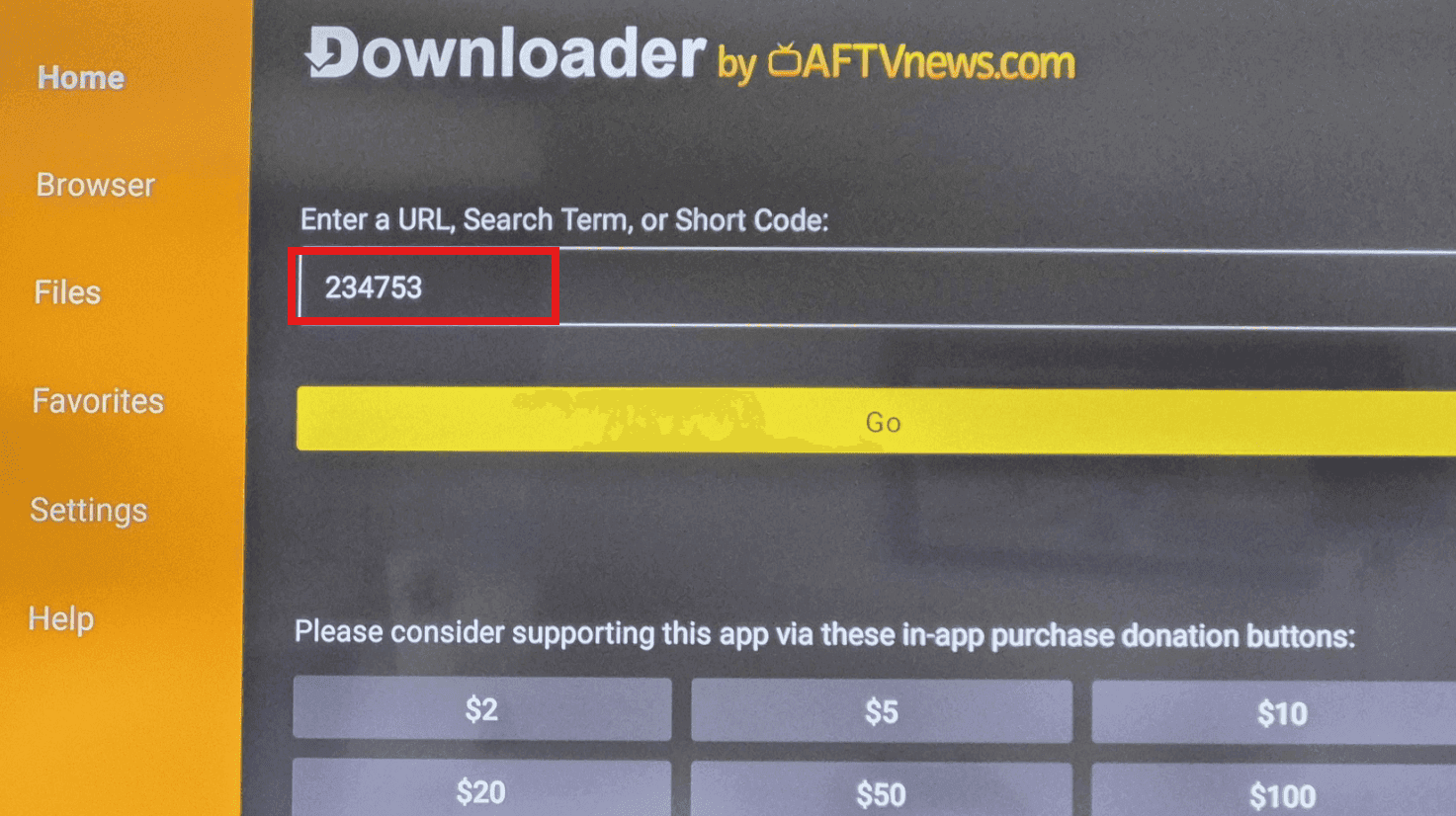
Open Downloader, click the URL box, and enter:
Press Go, wait for the download, then select Install. When it finishes, choose Done and then Delete to clear the installer file.
Prefer TiviMate? It is the better long-term choice on Fire TV a proper TV guide, catch up and recording. Install it the same way through Downloader, or find it directly in the Amazon Appstore.
Part 2 — Installing on Apple TV
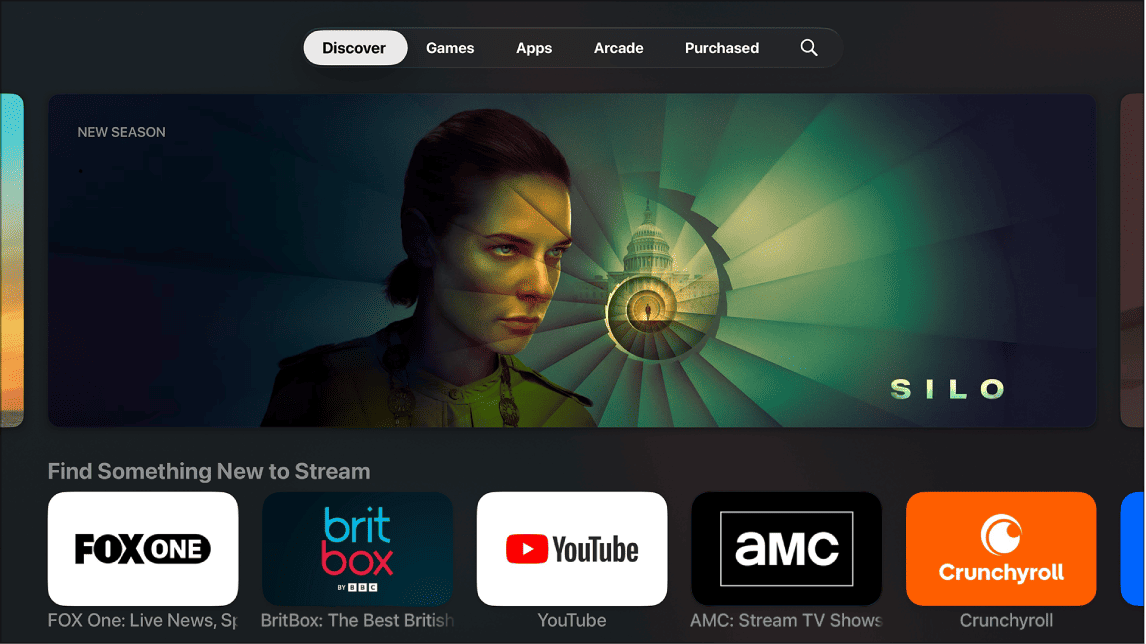
Step 1: Open the App Store
From the Apple TV home screen, select the App Store icon.
Step 2: Search for a player
| App | Notes |
|---|---|
| IPTV Smarters ProStart here | Free, accepts both Xtream Codes and M3U |
| GSE Smart IPTV | Free with ads, handles almost every playlist format |
| iPlayTV | Paid, polished interface, excellent playback |
| Flex IPTV | Simple and reliable, one-off purchase |
Availability varies by App Store region. If the first one is missing, try the next.
Step 3: Install and open
Select Get or the price, confirm with your Apple ID, then open the app once it lands on your home screen.
The AirPlay shortcut
In a hurry? Install IPTV Smarters Pro on your iPhone or iPad, start playback there, and AirPlay it to the Apple TV. It works instantly and needs no setup on the TV at all though picture quality is slightly better when the app runs on the Apple TV directly.
Part 3 — Signing in (both devices)
The login screen is the same whichever player you chose.
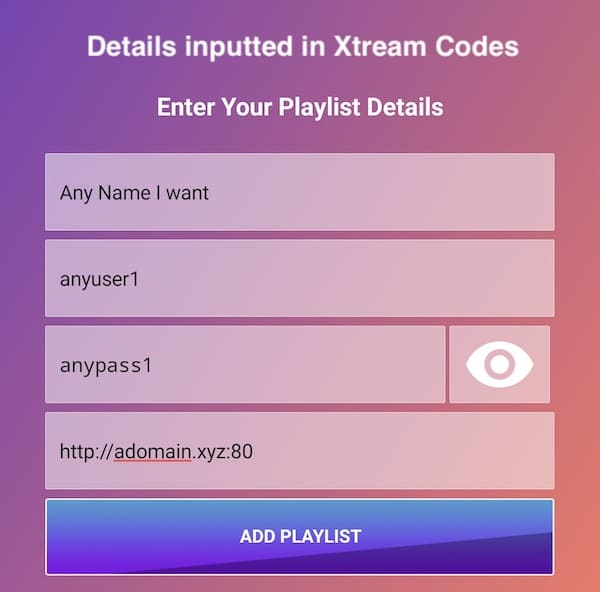
Option A — Xtream Codes login (recommended)
Select Login with Xtream Codes API and enter:
- Any name — a label for yourself, such as "EagleCast"
- Username — from your activation message
- Password — from your activation message
- Server URL — the address we sent, including the port number
This method pulls in the TV guide, the on-demand library and the channel categories automatically, and it keeps working if the server address ever changes.
Option B — M3U playlist link
Select Load Your Playlist or File/URL, give it a name, and paste the full M3U link exactly as you received it. Paste, never retype these links carry long tokens and a single wrong character produces an empty list.
Step 4: Let it load
The first load takes one to three minutes while the app downloads the full channel list, the on demand catalogue and several days of guide data. Do not close the app while the progress bar moves.
When it finishes you will see Live TV, Movies and Series. Open Live TV, pick any channel, and it should play within a few seconds.
⚡ Ready to watch?
55,000+ live channels and 220,000+ movies and series in 4K Ultra HD.
Free setup help on WhatsApp with every plan we get it running on your device with you.
Troubleshooting
The stream buffers
Run a speed test on the device itself, not your phone a Firestick behind a wall gets a fraction of what your phone gets beside the router. You want 25 Mbps for 4K.
The single most effective fix is an Ethernet cable. On a Firestick you need a €15 adapter; on the higher-capacity Apple TV 4K the port is already there. If a cable is not possible, connect to the 5 GHz band rather than 2.4 GHz.
Still stuttering? Drop the stream from 4K to FHD and watch for ten minutes. If it plays cleanly, the connection cannot sustain 4K reliably. Our eight buffering fixes work through this in order.
The app will not install (Firestick)
Check Settings → My Fire TV → Developer options firmware updates sometimes switch Apps from Unknown Sources back off. Also check free storage: the Fire TV Stick Lite ships with 8 GB and fills fast.
No channels after login
Almost always a typo in the server URL or a missing port number. Delete the playlist and add it again by pasting. If it still fails, your line may not be activated yet message us and we will check in a minute.
The app is missing from the Apple TV App Store
App availability differs by country. Try GSE Smart IPTV or Flex IPTV instead, or use the AirPlay method above.
It worked, then stopped
Restart the device properly: Settings → My Fire TV → Restart on Firestick, or Settings → System → Restart on Apple TV. Streaming devices are rarely rebooted and leak memory over time.
Frequently asked questions
Can I install EagleCast on Apple TV?
Yes. Apple TV cannot sideload apps, so you install a player from the App Store IPTV Smarters Pro or GSE Smart IPTV and sign in with your EagleCast username, password and server URL.
Do I need a computer to set this up?
No. Everything on both devices is done with the remote control.
Does this void my device warranty?
No. On Firestick you are only enabling a setting Amazon provides and installing an app. On Apple TV you install from the official App Store. Nothing is rooted or modified.
How many devices can I use at once?
Your plan sets the number of simultaneous streams, not installations. Install the app on as many devices as you like a two device plan means two screens playing at the same time, anywhere.
Is TiviMate available on Apple TV?
No. TiviMate is an Android application and tvOS does not run Android apps. Use IPTV Smarters Pro or GSE Smart IPTV on Apple TV, or run TiviMate on a Firestick plugged into the same television.
Do I need a VPN?
Only if your internet provider throttles video traffic a distinctive pattern where everything else is fast but streams crawl in the evening. Test without one first; a VPN adds an extra hop and can make playback slightly worse when throttling is not the cause.
How long does activation take?
Usually a few minutes. Place your order, and we confirm and activate over WhatsApp most customers are watching within ten minutes of paying.
In short
Allow unknown sources → install Downloader → install your player → sign in.
Open the App Store → install your player → sign in.
The sign-in step is identical on both, and the same EagleCast subscription runs on both at once if your plan allows two devices.
Stuck anywhere? Message us on WhatsApp with the device you own and we will walk you through it live setup help is free with every plan. You can also browse the channel list or read the FAQ.